Activate Checkout API
To use the Mobile Checkout SDK, you must activate Checkout API in the Comgate client portal. Activation is very simple - just sign in to the client portal and follow the steps below.
The Checkout SDK configuration UI includes many additional details that apply only to the Web Checkout SDK. These details are not relevant for the Mobile Checkout SDK. Ignore them and focus only on Checkout API activation according to this documentation.
Activation
-
In the top menu, select Integrations, and in the Store settings section, choose the store for which you want to activate Checkout API.
-
At the top of the page, select the Store connection tab and then select the connection to edit through which you want to process payments.
-
Find the Mobil SDK item and enable it.
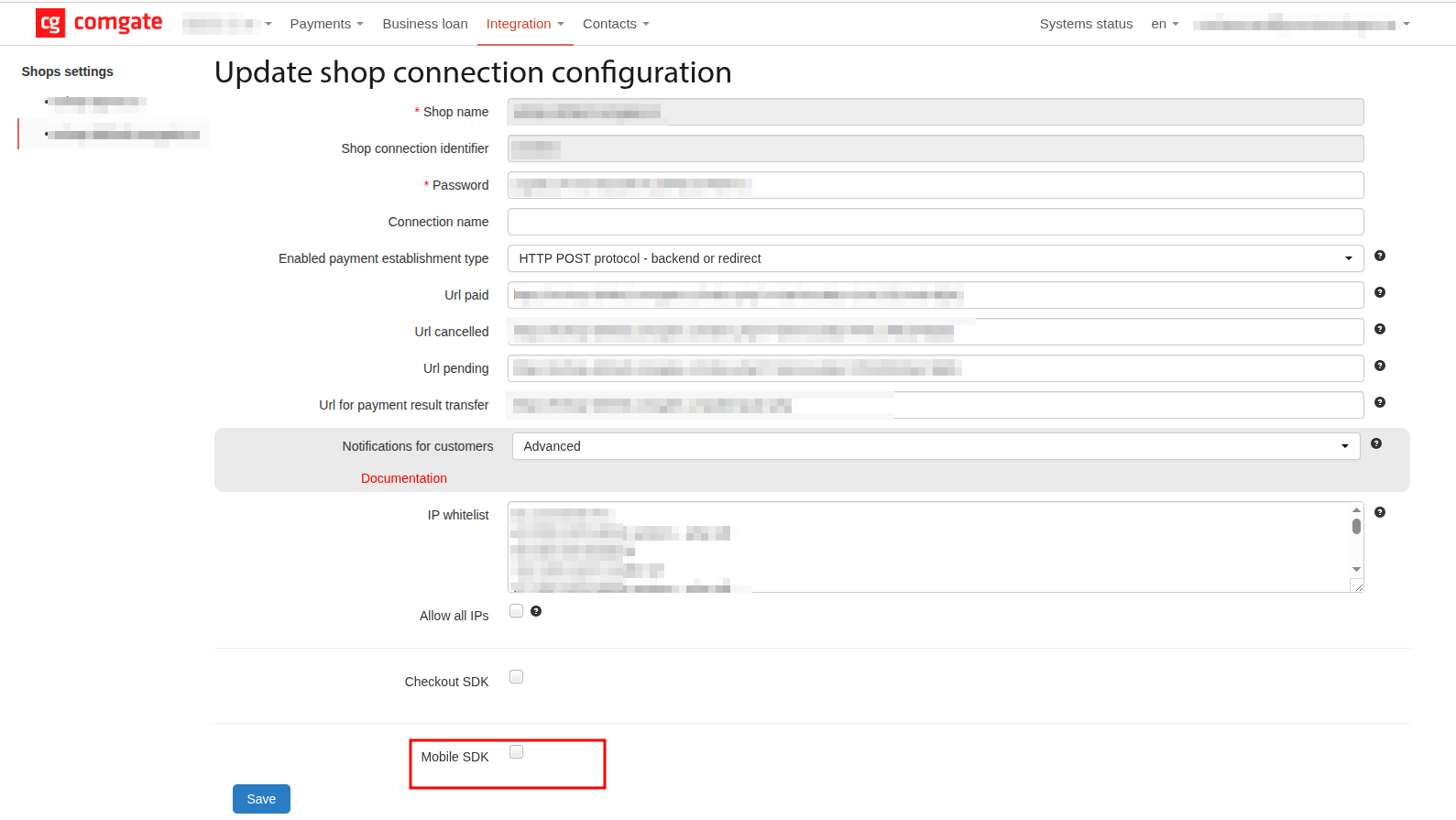
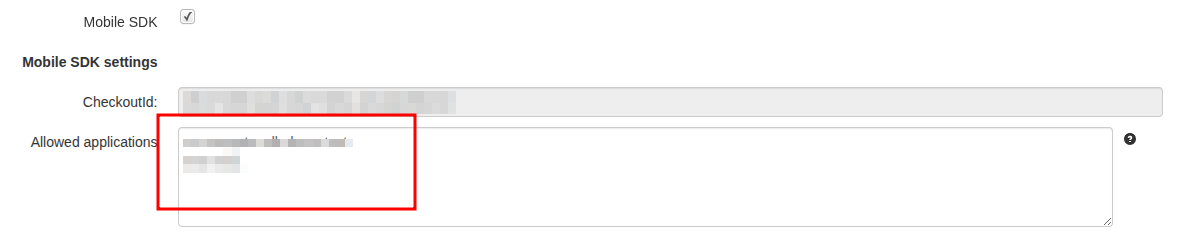
- Additional settings for Mobil SDK will expand. In the Allowed applications field, add the package names of your mobile applications — one package name per line.
- Click the Save button.
Activation is now complete.
Getting checkoutId
To use Checkout API, you need the checkoutId value, which uniquely identifies the store connection:
- Go to the store connection list, see steps 1 and 2 above in Activation.
- In the list, find the required connection and click the eye icon to open detail.
- On the detail page, scroll down and in the Mobil SDK settings section find the CheckoutId field.
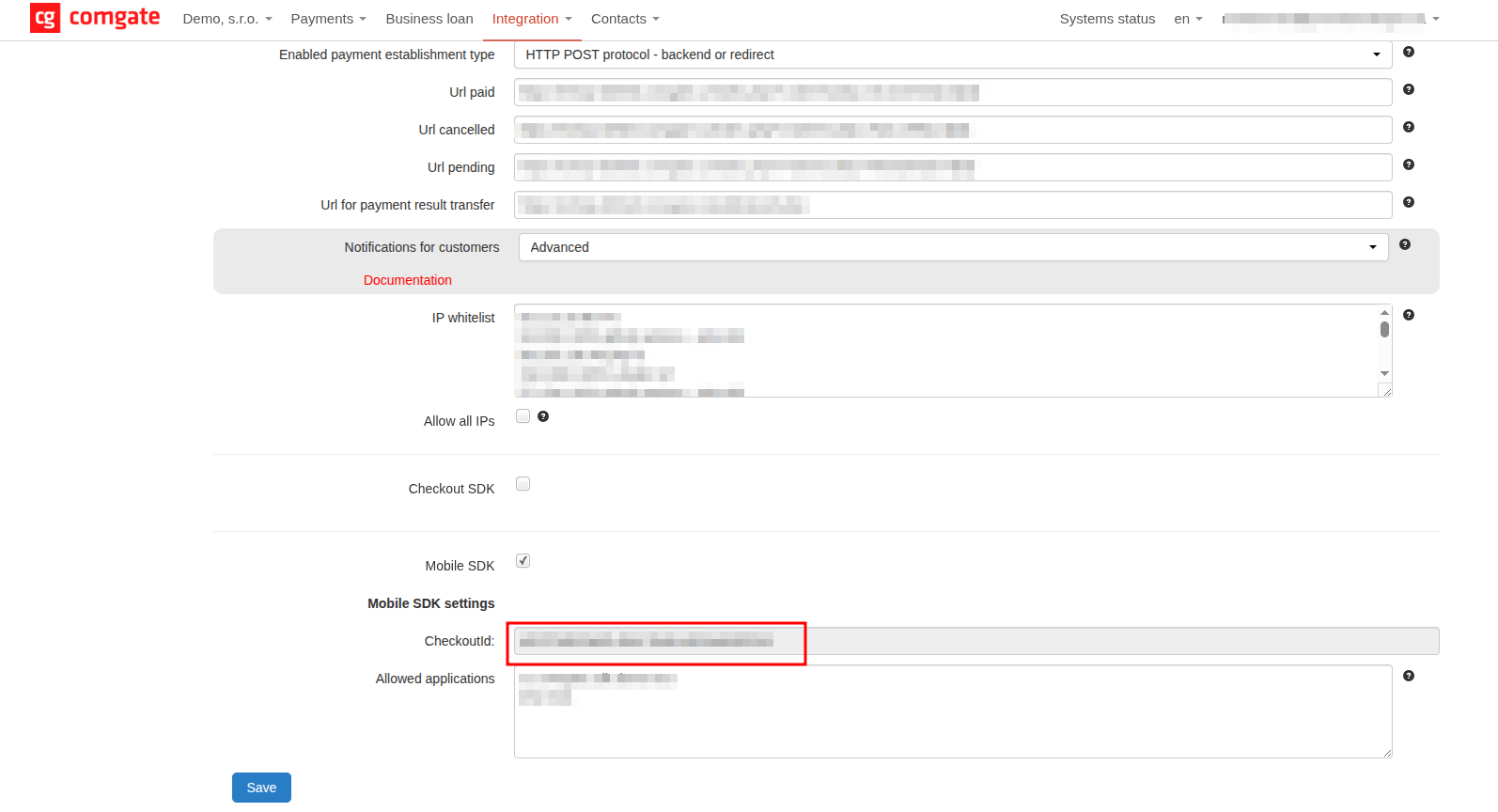
Pass the obtained checkoutId value to the ComgateSecureSession constructor when initializing the library.
Android app registration
During initialization, the library verifies whether the calling application is authorized to use the given store connection. For successful initialization, you must add your app package name to the allow-list of applications. This setting is located in the same place in the client portal as the checkoutId value described above.
You can find the correct package name in your app configuration in build.gradle(.kts) as applicationId, or in AndroidManifest.xml as the package attribute.
If the app is not on the allow-list, the library rejects initialization and returns an error.